Tutorials
NotebookLM Skill: Query Your Notebooks From Claude Code (7.8K Stars, Now Unmaintained)
NotebookLM Skill connects Claude Code to your NotebookLM notebooks: browser-automated setup, the cookie trade-off, and the archived-repo warning.
Last updated: November 18, 2026 · 6-minute read
7,785 stars, and the first line of its own README is a warning: this project is no longer maintained. The NotebookLM Skill still does something no official tool does — it lets Claude Code ask questions of your Google NotebookLM notebooks and get answers grounded only in your uploaded sources. The repo was archived in September 2026. Both halves of that sentence matter, and this guide covers both.
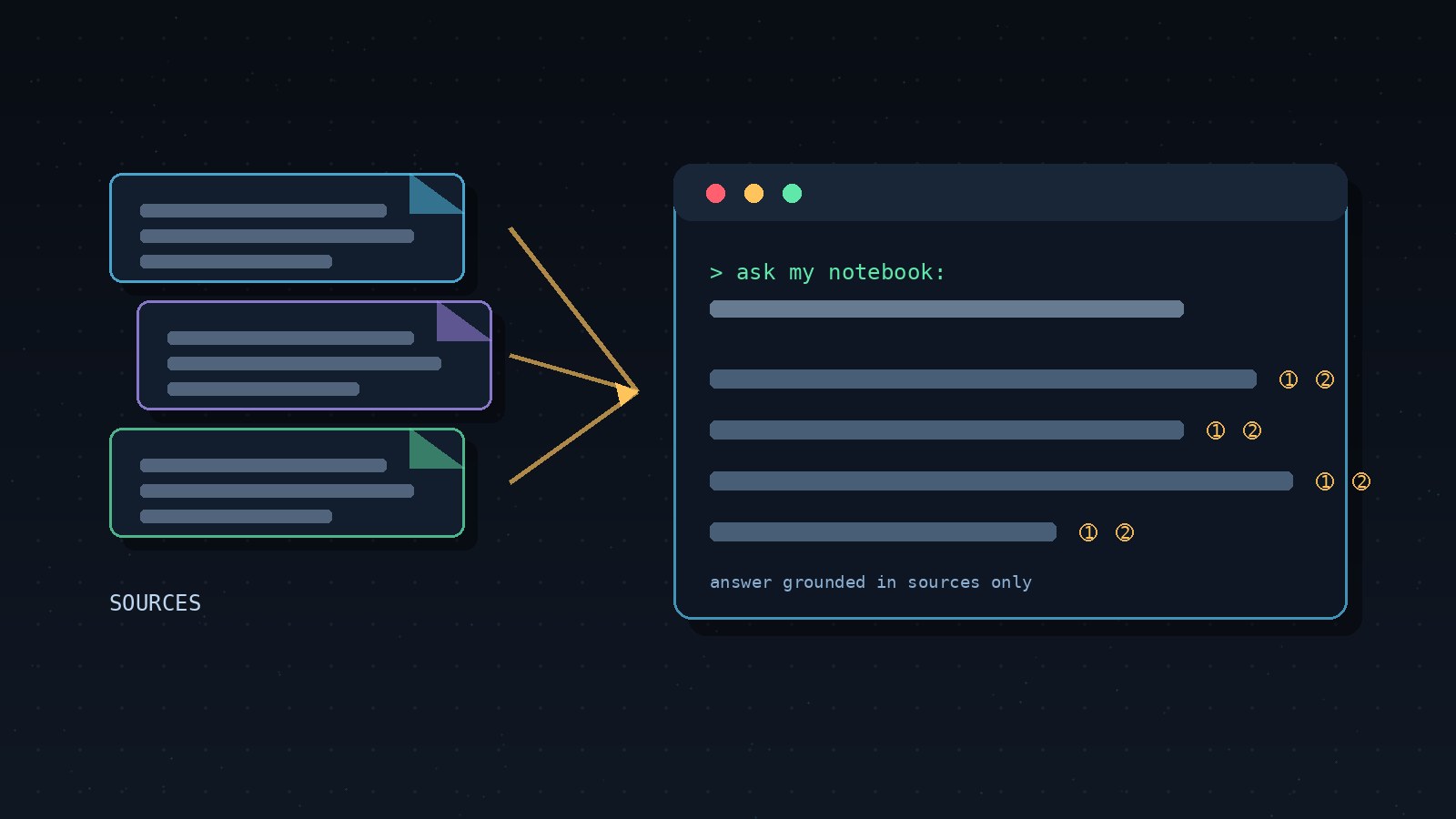
The job it solves is real. Point a coding agent at a folder of documentation and it burns tokens re-reading files, retrieves by keyword, and fills gaps with invented APIs. NotebookLM already solved the reading part: sources go in once, and Gemini — the README describes the current service as powered by Gemini 2.5 — synthesizes answers with citations. The skill removes the copy-paste trip between the NotebookLM tab and your editor.
What the Skill Actually Does
The skill is a folder of instructions plus Python scripts that Claude Code loads from ~/.claude/skills. When you ask about your docs, Claude runs the scripts, and each question opens a fresh browser session against NotebookLM, retrieves the answer, and closes.
The pieces, per the repo:
- Browser automation, not an API. NotebookLM has no public API for this, so the skill drives real Chrome through Patchright, a Playwright fork with anti-detection changes. The pinned version in requirements.txt is 1.55.2.
- A notebook library. Notebooks are added by share link, tagged with a name, description, and topics, and Claude picks the relevant one per question. A Smart Add flow queries an unknown notebook first, then files it with discovered metadata.
- Persistent authentication. You log in to Google once, by hand, in a visible browser window. The session is stored locally and reused across questions.
- Follow-up behaviour. The workflow encourages automatic follow-ups, so one question becomes a short research thread — specifics, edge cases, implementation detail — instead of a single shallow answer.
TL;DR
- NotebookLM Skill: 7,785 GitHub stars, MIT licence, and an archived repo — no updates or support since September 2026
- It connects local Claude Code to your NotebookLM notebooks through browser automation, because no official API exists
- Setup is a clone into ~/.claude/skills, then a one-time manual Google login in Chrome
- Authentication stores your full Google session cookies in a local state.json file — that file is the trust question, covered below
- Free Google accounts are rate-limited to 50 queries per day, per the project's troubleshooting guide
- The author's own advice stands: use a dedicated Google account for automation, not your primary one
Install the Skill
Local Claude Code only. The web UI runs skills in a sandbox with no network access, and this skill is browser automation — it cannot work there.
Step 1: Clone into the skills folder
Ask Claude Code "What are my skills?" and NotebookLM should appear in the list. On first use the skill builds its own isolated Python environment inside the skill folder, installs dependencies, and installs Google Chrome — the setup deliberately uses real Chrome rather than Chromium, for fingerprint consistency and fewer problems with Google services.
Step 2: Authenticate with Google once
Tell Claude Code: "Set up NotebookLM authentication". A visible Chrome window opens; you log in with your Google account yourself. Nothing about the login is typed by the tool.
Under the hood, per the repo's AUTHENTICATION.md, the setup saves your session in two places inside ~/.claude/skills/notebooklm/data/: a persistent Chrome profile directory, and a state.json file holding cookies plus localStorage. The split exists because of a Playwright bug: session cookies — the ones with no expiry date, which include some Google auth cookies — do not survive browser restarts in a persistent profile alone, so the skill re-injects them from state.json on every run.
Step 3: Build and register a notebook
Create the notebook at notebooklm.google.com and upload your sources — PDFs, Google Docs, markdown, websites, GitHub repos, YouTube videos. Then share it: Share, Anyone with the link, Copy. Hand the link to Claude with "Add this NotebookLM to my library" and answer its questions about name and topics, or use Smart Add and let it discover the contents first.
Step 4: Ask from the terminal
Claude selects the matching notebook, runs the question through the wrapper — every script runs through scripts/run.py, which manages the environment — and brings the grounded answer back into your session. Questions can also target a notebook by ID, and the library supports search, activation, and removal through notebookmanager.py.
The Google Account Trade-Off
This section is the decision. The skill works by holding your Google login and driving Google's consumer interface with an automated browser that is explicitly tuned to look human. The README documents the humanization features without euphemism: realistic typing speeds, natural delays, mouse movements — stealth techniques, its word — so the automation behaves like a person.
Three consequences follow from that design:
- The cookie file is the account. state.json contains live session cookies. Anyone or anything that reads that file holds your Google session, without your password. It sits in a plain folder inside your skills directory, protected only by your operating system's file permissions.
- Detection risk is real and undisclaimed-away. The author writes that he cannot guarantee Google will not detect or flag automated usage, and recommends a dedicated Google account for automation rather than a primary account. That is the correct posture, and it should be treated as part of the setup, not fine print.
- NotebookLM limits apply. The project's troubleshooting guide puts free accounts at 50 queries per day. Paid tiers change NotebookLM's own limits; the skill does not add any of its own.
If you need the official, supported path, this is the wrong tool — there is no official API route to NotebookLM notebooks at all, which is precisely why this project exists.
Where It Falls Short
- It is archived. The README's warning is unambiguous: as of September 2026 the repository is archived, with no updates, bug fixes, or support, and it may stop working when the upstream services change. Google changing a page element can end this tool on any given morning.
- Browser automation is borrowed ground. Every selector in the pipeline depends on NotebookLM's current interface. With no maintainer, breakage is permanent unless a fork picks it up — the licence is MIT, so forking is allowed.
- Rate limits cap real research. 50 queries a day on a free account is fine for lookups and thin for a full documentation sweep.
- The skill is only as grounded as your sources. Answers come exclusively from what you uploaded, which is the feature — and the limit. A gap in the notebook is a gap in every answer, stated confidently with citations to everything except the missing document.
- Last push was September 10, 2026. Star count is attention, not maintenance. As of November 7, 2026, the repo sits at 7,785 stars and 907 forks with an archived flag on it.
The Verdict
NotebookLM Skill is a genuinely useful bridge with an expiry date nobody knows. The research loop it creates — ask the terminal, get a cited answer from your own documents — is the strongest argument that NotebookLM belongs inside a coding workflow, and nobody official has built it.
Use it the way its own author advises: a dedicated Google account, sources you control, and no workflow that breaks your week if Google changes a button. Treat the archived banner as the true headline and the 7,785 stars as history, and the tool is worth its five-minute setup.
More Claude Code skills are in the Teardown simulator post, and the projects page and blog archive hold the rest of the toolkit.
---
Not affiliated with NotebookLM Skill, Google, or Anthropic. Sources: NotebookLM Skill GitHub repository, its AUTHENTICATION.md, its SKILL.md.