Tutorials
Immich: Self-Hosted Google Photos With Face Recognition and No Subscription (118K-Star Setup Guide)
Immich setup guide: self-host Google Photos on your hardware with face and object search, real requirements, and the 3-2-1 backup duty that replaces Google.
Last updated: November 19, 2026 · 6-minute read
118,444 stars, and the feature table reads like the thing it replaces. Immich is a self-hosted photo and video platform — server on your hardware, apps on your phone — with automatic backup, face recognition, and object search, and no subscription line. The current release is v3.3.6, from November 4, 2026. What you pay instead of money is stated in its own README, in a warning box: always follow a 3-2-1 backup plan for your precious photos and videos. This guide covers the setup and that bill, in full.
The trade is worth understanding before the first container starts. Google Photos charges rent and holds your library on Google's machines, under Google's account rules. Immich inverts both halves: the library lives on a disk you can touch, and the responsibility for that disk surviving also lives with you. Everything below follows from that inversion.
What Immich Actually Ships
Two halves: a Docker-based server (with a machine-learning container alongside it) and mobile apps for Android and iOS, plus a web app. The README's feature table, trimmed to what decides the comparison:
The search row is the one Google trained everyone to expect. Immich runs its machine learning locally — face clustering, object and scene recognition, and CLIP-based text search — on the server you provide. Nothing in that pipeline needs a cloud account.
TL;DR
- Immich: 118,444 GitHub stars, AGPL-3.0, current release v3.3.6 — a complete Google Photos replacement you host yourself
- Requirements are real: minimum 6 GB of RAM and two CPU cores, Docker Compose, Linux strongly recommended
- Setup is two downloaded files, one edited .env, and one docker compose up -d — the web app answers on port 2283
- The first account to register becomes the admin; the phone app then backs up automatically to your server
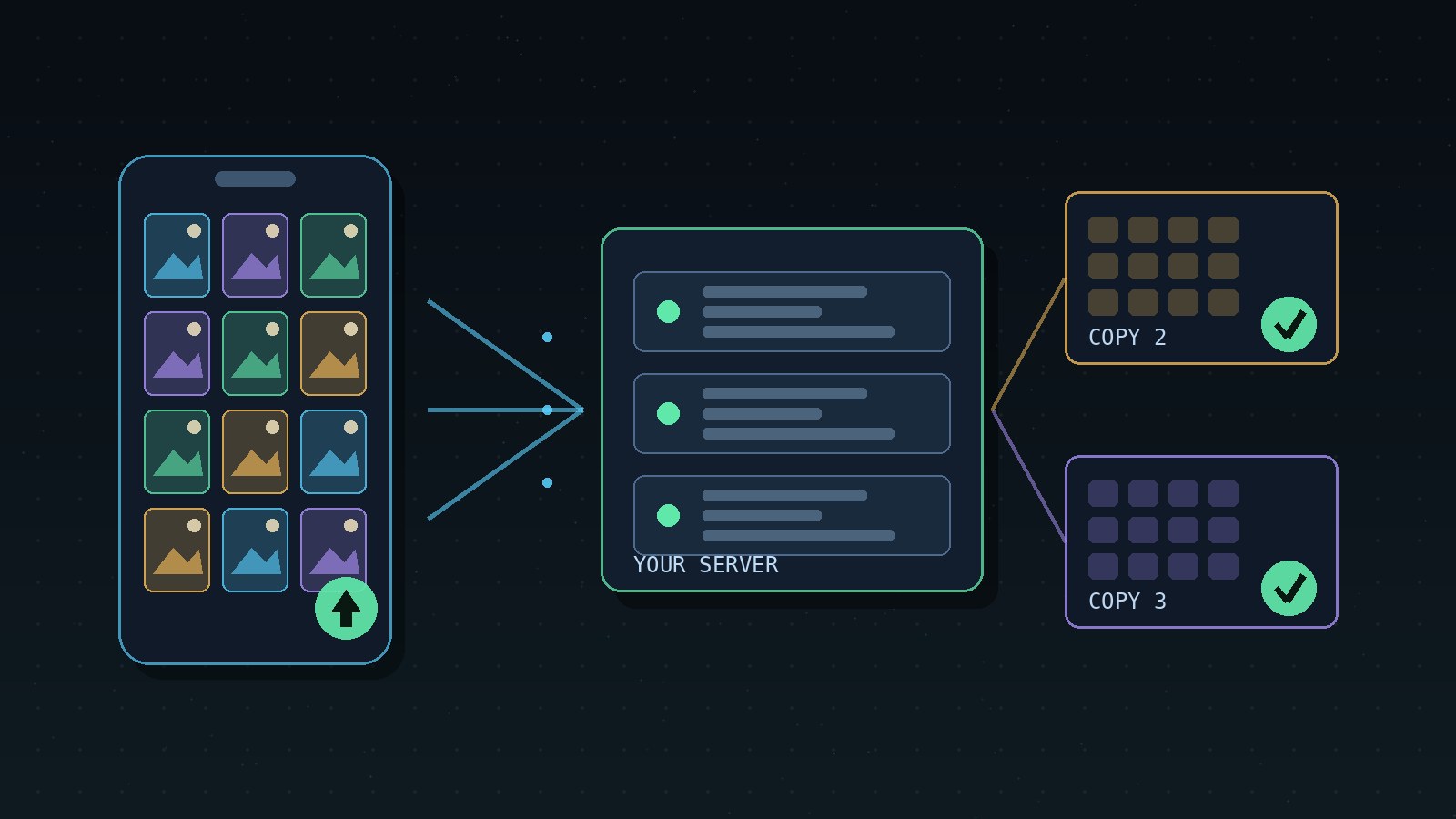
- Backup duty replaces the subscription: the docs recommend a 3-2-1 strategy, and Immich's built-in database dumps contain metadata only, never your photos
- Thumbnails and transcoded video grow the library by 10–20% on average, per the requirements page
Check the Requirements First
Immich is the heaviest thing in this week's queue, and the docs are specific about the floor:
One line in the requirements deserves emphasis: the database must never sit on a network share. The library folder can live on bigger, slower storage; the Postgres directory goes on local SSD or the whole interface pays for it.
Install Immich With Docker Compose
The quick-start path is the recommended one. Four steps, no choices to research mid-way.
Step 1: Download the two files
Step 2: Set three values in the .env file
UPLOADLOCATION is where your photos will actually live — point it at a directory with real room, on a filesystem with proper ownership support (EXT4, ZFS, or APFS per the docs). DBPASSWORD accepts letters and digits only; special characters break Docker's parsing. Uncomment the TZ line and set your timezone while you are here.
Step 3: Start the stack
Compose pulls the server, the machine-learning container, Postgres, and Redis, wired as the project intends.
Step 4: Register, then connect the phone
Open http://<machine-ip-address:2283 and click Getting Started. The first user to register becomes the admin — so do this step yourself, promptly, on your own network. Add any family members as users from the admin side afterwards.
Install the Immich app on your phone, point it at the same server address, sign in, choose which albums to back up, and turn on background backup. From there the phone behaves the way Google Photos taught you to expect: new photos appear on the server without a cable or a reminder.
Where It Falls Short
The honest answer: Immich removes the subscription and the landlord, and hands you the landlord's job.
- Backups are now your department. The administration docs recommend a 3-2-1 strategy — three copies, two media types, one off-site — and say the quiet part out loud: the backup page shows you how to prepare an instance for backup, and you still need an actual backup tool to make the backup yourself.
- The built-in database dumps are not photo backups. Immich automatically dumps its database daily and keeps the last 14 by default. Those dumps hold metadata only. The database does not scan the library folder, so a dump without a copy of UPLOADLOCATION restores an index of photos you no longer have.
- The hardware floor excludes thin machines. Six GB of RAM minimum, 8 GB recommended, plus a modern-enough CPU for the machine-learning container. A forgotten netbook is not a photo server; plan a real box, even a modest one.
- Your library grows past its raw size. Thumbnails and transcoded video add 10–20% on average. Budget the disk with that overhead included, not after it surprises you.
- AGPL-3.0 governs the code. Running it for your household is uncomplicated. Building a hosted service on top of it carries copyleft obligations — read the licence before that plan, not after.
- There is no support desk. When Google Photos breaks, you file a ticket into the void. When Immich breaks, the void is your own terminal at midnight. The documentation is genuinely good; it is still documentation, not a help line.
The Verdict
Immich is the rare replacement that does not feel like a compromise chart. Face search, partner sharing, memories, automatic phone backup — the daily surface of Google Photos is all here, running on hardware in your house, at 118,444 stars of community scrutiny.
The decision is not features versus features. It is rent versus responsibility. If your photo library matters — and the fact that you are reading a backup guide says it does — the subscription was never the expensive option; it was the option where someone else owned the 3-2-1 problem. Immich is for the person who would rather own that problem, with eyes open and a second copy off-site.
More self-hosted tools are in the SupoClip setup guide, and the projects page and blog archive hold the rest of the stack.
---
Not affiliated with Immich or Google. Sources: Immich GitHub repository, Immich quick start, Immich requirements, Immich backup and restore.