Tutorials
Stirling-PDF: The Self-Hosted PDF Suite With Every Tool in One Place (95.9K Stars, Setup Inside)
Stirling-PDF self-hosting guide: 50+ PDF tools on your own server, the real licence split, free-plan limits, and when a server beats a browser tab.
Last updated: November 21, 2026 · 6-minute read
95,928 stars make Stirling-PDF the biggest PDF project on GitHub: more than 50 tools — merge, split, sign, redact, convert, OCR, compress — behind one web interface and one REST API, running on a server you control. It is the opposite bet from last week's browser-local Pdfeditor, and this guide covers the setup, the honest architecture trade between the two, and a licence situation that deserves reading before the Docker command, because "open source" is only most of the sentence here.
Why self-host a PDF tool at all? Because PDFs are where sensitive documents live — contracts, ID scans, bank statements, medical reports. Every free online PDF site asks you to upload those files to a stranger's server. Stirling-PDF's pitch is that the stranger can be you.
What Stirling-PDF Actually Ships
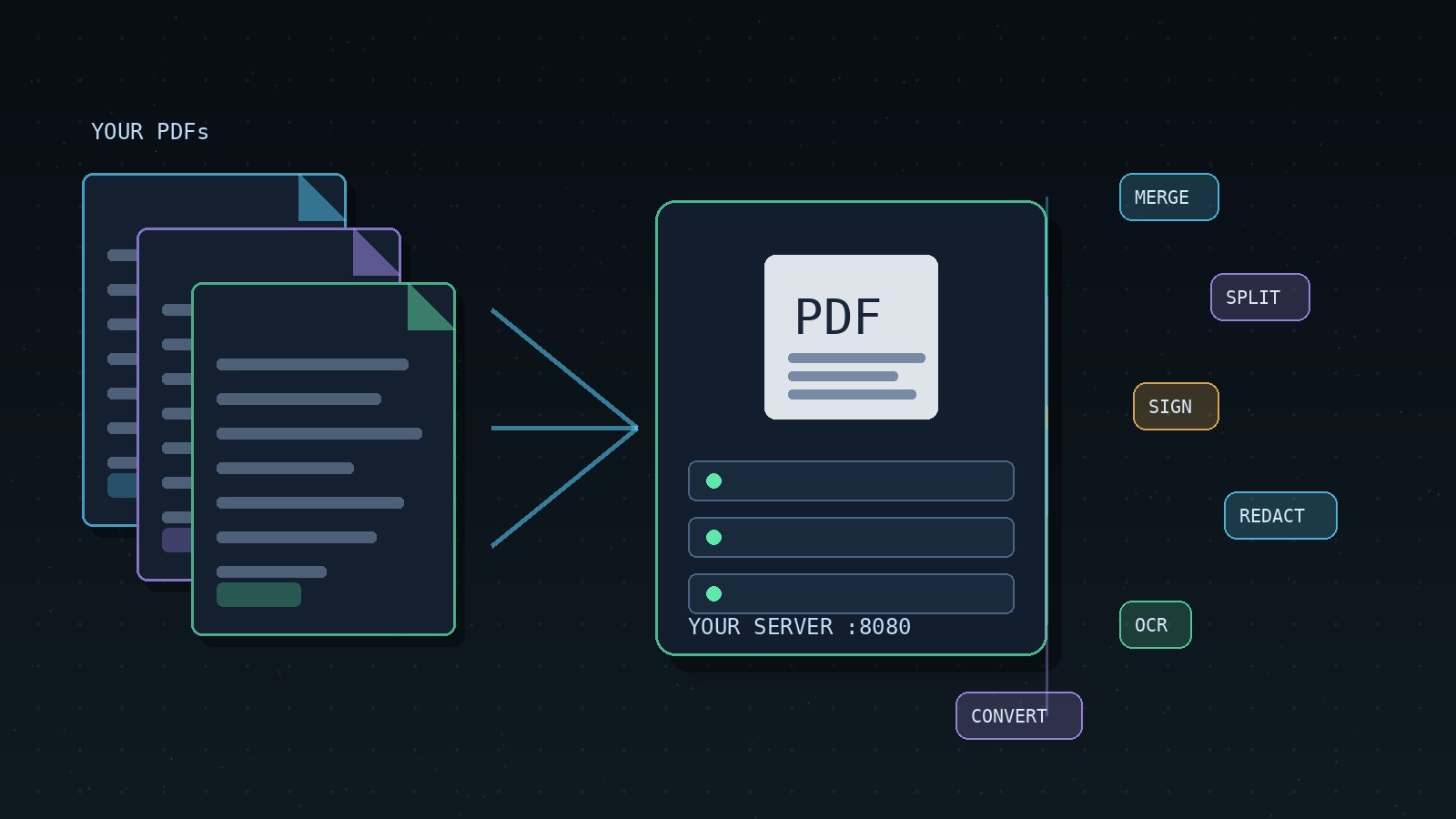
One platform, three ways to run it: a self-hosted server with a browser UI, a desktop client, and a private REST API that covers nearly every tool, so scripts and pipelines can process PDFs without the UI at all. The README's capability list:
- 50+ PDF tools — edit, merge, split, sign, redact, convert, OCR, compress, and more
- Automation and workflows — no-code pipelines in the UI, APIs behind them
- Interface in 40+ languages
- Enterprise-grade options — single sign-on, auditing, on-prem deployment (the plan split for these is below, and it matters)
The current release is v3.3.0, published November 5, 2026.
TL;DR
- Stirling-PDF: 95,928 GitHub stars, the most-starred PDF application on the platform
- One Docker command starts it; the app answers on port 8080
- 50+ tools plus a REST API for nearly all of them — OCR, pipelines, and batch work are what the server buys you
- The licence is a split, stated in full below: an MIT core with eight named directory trees carved out under a commercial licence
- The free self-hosted plan covers 5 users with all PDF tools; clustering, external storage, SAML, and audit logging are paid tiers
- Versus a browser-local editor: your files travel to your server and are processed there — under your control, but no longer confined to the tab
Install It With Docker
The README's quick start is one command:
Then open http://localhost:8080. Full installation options — desktop builds, Kubernetes, and the different image variants — live in the project's documentation. One variant detail decides features later: plan and admin features need a login-capable build (the latest or latest-fat images, or the with-login JAR). The latest-ultra-lite image has no plans or admin settings at all, which is fine for a single user who just wants the tools.
The Licence, Read Properly
GitHub's API reports this repo's licence as NOASSERTION, which usually means "go read the file." The file says this:
- The root LICENSE is the MIT License (Copyright 2025 Stirling PDF Inc.) — and it applies to all content outside eight named directory trees.
- Those eight trees — app/proprietary/, app/saas/, engine/, four editor subtrees under frontend/src/editor/, and frontend/src/processor/ — are governed by their own licence files. Every one of those directories exists in the current tree, holding thousands of files.
- The licences inside at least two of them (app/proprietary/ and engine/) are the Stirling PDF User License, a commercial licence under which production use requires a valid subscription.
- The README itself uses the accurate word for this shape: open-core.
None of this makes the free product fake — the plans documentation confirms a self-hosted server on the free plan gets all PDF tools with 5 users. It does mean "MIT-licensed, do anything" is not a true sentence about this repository, and any team building Stirling into a commercial workflow should read the carved-out licences before assuming otherwise.
What the Plans Actually Split
From the project's own plans documentation for self-hosted servers:
One more meter to know about: processor automation and AI tools draw on a monthly processing allowance on the free and Team plans (Enterprise excepted). For a household or a small team doing ordinary document work, the free plan is the whole product. The paid tiers sell scale and governance, not the tools themselves.
Stirling-PDF vs the Browser-Local Editor
Last week this site covered Pdfeditor, a PDF editor that runs entirely in your browser tab. The two tools make opposite architecture bets, and the right choice depends on which files and which jobs you have:
The privacy framing needs care in both directions. A browser-local editor keeps the file on the device — the strongest position. Stirling moves the file to a server: your server, on your network, under your rules, which is a completely different risk from uploading to a random free-PDF website, but it is not the same as the file never moving. Servers get backed up, logged, and misconfigured; a tab does not. Match the tool to the document: the ID scan you would not email belongs in the most confined tool that can do the job; the 400-page OCR batch belongs on the server built for it.
Where It Falls Short
- Open-core means the centre of gravity is commercial. Stirling PDF Inc. sells Team, Enterprise, and a hosted cloud. The free tier is generous today; the licence carve-outs mean parts of the codebase you are running are not yours to modify or redistribute, and the project's incentives point at the paid tiers.
- The free plan has edges that arrive quietly. Five users, a processing allowance on automation, no external database or S3 storage until Team. A small organisation can hit the user cap faster than it expects.
- You are the PDF infrastructure now. A server holding other people's documents is a real responsibility: updates, access control, backups of the uploads themselves. The ultra-lite image skips admin features entirely, which is simple — and means no accounts between the network and the tools.
- 95,928 stars measure attention, not fit. The repo's own description claims "#1 PDF Application on GitHub." That is a popularity fact, and the tool genuinely is broad — but a single-purpose command-line tool still beats a platform for scripted, single-job work.
The Verdict
Stirling-PDF is the self-hosted PDF answer when the job list is long: OCR, conversion, redaction, pipelines, a team that shares one installation. The Docker start is genuinely one command, the free plan holds all the tools, and the documentation is honest about what the paid tiers add.
Read the licence split before you build on it, keep the server patched, and keep the most sensitive single documents in tools where the file never travels at all. Breadth on your own hardware is the offer — and it is a good one, taken with both eyes open.
More of this week's self-hosting run: Immich for the photo library, and the rest of the toolkit is on the projects page and in the blog archive.
---
Not affiliated with Stirling PDF Inc. Sources: Stirling-PDF GitHub repository, repository LICENSE file, Stirling plans and licences documentation, Stirling documentation.