Tutorials
Node 24 Is the LTS That Matters Now (September 2026 Checklist)
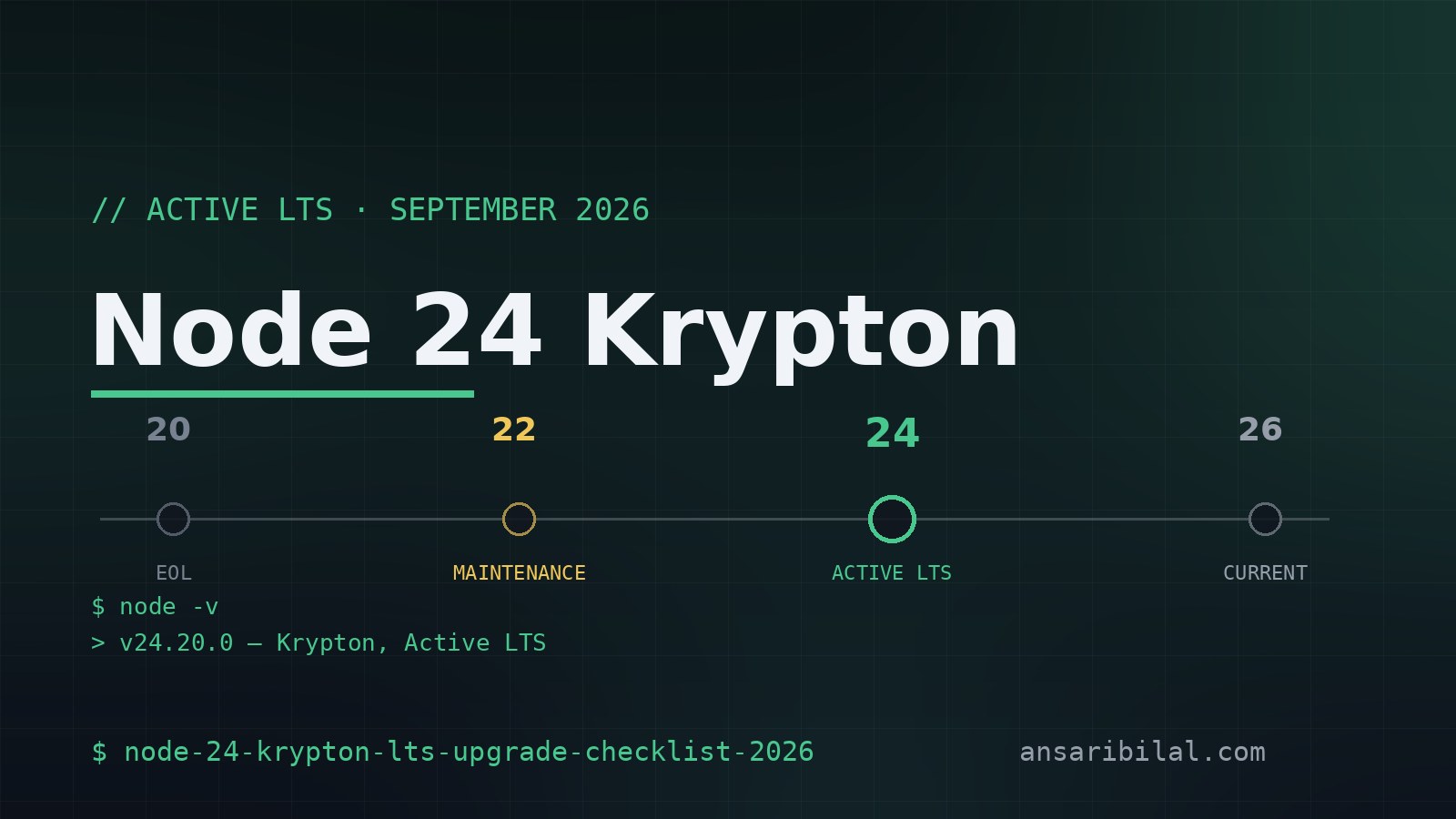
Node 24 Krypton is the Active LTS line in September 2026, Node 20 is end-of-life, and the release model changes in October. The solo-dev upgrade checklist.
Last updated: September 9, 2026 · 6-minute read
Node 20 stopped receiving security fixes on April 30, 2026 — if a production box still runs it, that box is more than four months past the cliff with no patch coming. The safe harbor is Node 24 "Krypton", the Active LTS line, and the perennial "which version should I run" question has an unusual deadline this year, because the entire Node.js release model changes next month.
One disclaimer before anything else: no project of mine got migrated overnight to make this post possible — everything here is verified from the official release schedule and the release notes, not from a rushed same-day upgrade and not from hero worship. Where a claim is somebody's measurement rather than a documented date, the text says whose it is.
Where every Node line stands
The official release schedule, as of September 9, 2026:
Read the table once and most decisions make themselves. Node 20 is not "old but fine" — its release stream stopped with v20.20.2 in March, and the support clock ran out five weeks later.
Node 22 is in maintenance, meaning critical fixes only, until April 2027. Node 24 holds the Active LTS slot until maintenance begins on October 20, and keeps security releases coming until April 2028.
Node 26 is the Current line — released May 5, 2026, scheduled for LTS promotion on October 28, 2026. It ships with the Temporal API enabled by default, no flag required, on top of V8 14.6 and Undici 8. Current is a status, not a recommendation; it is not yet the line to standardize a business on.
Why Node 24 is the default answer
For a solo developer, Node 24 is the line that gets features and fixes with none of the early-adopter tax. It entered LTS on October 28, 2025, it runs V8 13.6, and its support window stretches to April 2028 — long enough that a decision made this week stays defensible through two more side projects.
Adoption points the same direction: NodeSource's download tracking reported in late August 2026 that Node 24 has taken the lead in downloads. That is a single vendor's numbers, so treat it as a directional signal rather than a census — but the direction agrees with the schedule's logic. When a line holds Active LTS status and the tooling ecosystem optimizes for it, the boring choice and the popular choice are the same choice.
The release model changes in October
Here is the part that expires a decade of habit. In "Evolving the Node.js Release Schedule", the project announced that starting with Node 27 there will be one major release per year, every release becomes LTS, and the odd/even distinction disappears entirely.
The mechanics, per that announcement: a new major lands each April as Current, gets promoted to LTS each October, and stays supported for 36 months in total. Version numbers align with the calendar year — Node 27.0.0 ships in 2027, Node 28.0.0 in 2028.
An Alpha channel replaces the old odd-numbered lines as the place where semver-major changes get tested before they hurt anyone.
The practical consequence: after this October, "is it an even release?" stops being a useful question, and "has it had its October promotion?" becomes the only one that matters. If your CI pins runtimes by parity folklore, that habit now has an expiration date.
Check these before you upgrade
Step 1: Map your current line
Compare the output against the table above. A Node 20 build means the runtime itself is unmaintained — plan the jump this week, not this quarter. A Node 22 install is safe but coasting on critical fixes only.
Step 2: Find every place a runtime is pinned
engines fields, CI matrices, Dockerfiles, and .nvmrc files all pin the runtime in different places. Missing one of them is how a laptop works perfectly while production runs something else entirely.
Step 3: Pick the target by date, not by hype
Coming from Node 20 or Node 22, the target is Node 24 — the only line that is both mature and fully supported, with a security window running to April 2028.
Curious about Temporal, the long-running attempt to replace the Date object's chaos with a real date-and-time API? It is enabled by default in Node 26, so try it on a branch or a dedicated CI job running the latest v26 release, and let the scheduled October 28 promotion happen before it touches anything production-adjacent.
Step 4: Let CI vote before production does
Whatever the target, flip the runtime in CI first and let the test suite argue. Run install and tests on the old major and the new one in a matrix for a week, then move the default. That costs a few CI minutes, and it is how you find the dependency that quietly assumed the old runtime — which libraries those are changes weekly, so the lockfile has to answer that, not a blog post.
Common mistakes worth skipping
Three upgrade mistakes show up every release cycle. The first: chasing the newest number — putting Node 26 into production before its October promotion because "newest means maintained" — when the schedule is the actual source of truth. The second: upgrading the runtime and every dependency in one commit, which makes any breakage impossible to attribute. The third: fixing the local machine and forgetting the CI matrix, so green locally means red on every push.
What this means for my own stack
The automation that publishes this site runs on Node — the publishing crons and syndication workflows behind earlier posts all sit on top of it. There is no dramatic migration story to invent there, and that is the point: release hygiene done on schedule means upgrade weeks stay boring. The one date marked on the calendar is late October, when Node 26 is scheduled to take the LTS slot and the odd/even era officially ends.
TL;DR
- Node 20 has been end-of-life since April 30, 2026 — running it now means shipping with no security fixes.
- Node 24 "Krypton" is the Active LTS default: v24.20.0 as of August 26, maintenance begins October 20, support until April 2028.
- Node 26 is Current with Temporal enabled by default; its LTS promotion is scheduled for October 28, 2026.
- From Node 27 onward there is one major per year, every release becomes LTS, and support runs 36 months — the odd/even habit is obsolete.
- The sensible upgrade target for most solo developers: Node 24 now, Node 26 once its promotion lands.
Keep reading
- What my Node.js WhatsApp bot automation runs on
- The CLI tools that live on every machine I touch
- Vite 8's Node.js floor — why the runtime and the bundler upgrade together
- Developer Workflow — the cheatsheets and tricks hub
- Automation & CI/CD — solo dev workflows hub
---
Not affiliated with the Node.js project, the OpenJS Foundation, or NodeSource. Sources: the official Node.js release schedule and nodejs.org release announcements, verified September 9, 2026.