Builds
Pdfeditor: A Full PDF Editor That Runs Entirely in Your Browser (Files Never Leave the Device)
Pdfeditor edits, converts, signs, and secures PDFs entirely in the browser. The design intent, the code modules, and the caveats.
Last updated: November 16, 2026 · 6-minute read
Most online PDF tools start with an upload, and the upload is the problem — a contract, a payslip, a signed form sent to a server you know nothing about. Pdfeditor is a PDF editor built the other way round: it runs entirely in the browser, and the README documents the design rule in one line — files never leave the device.
Pdfeditor is an open-source project from this site's own workshop, published on GitHub under the MIT license. The build blueprint kept in the repository states the goal plainly: a fast, privacy-focused, accessible PDF tool that runs entirely in the browser, with no server-side processing. This post covers that design, what the code in the repository actually contains, and the gaps a reader should know about before relying on it.
The Privacy Design Is the Product
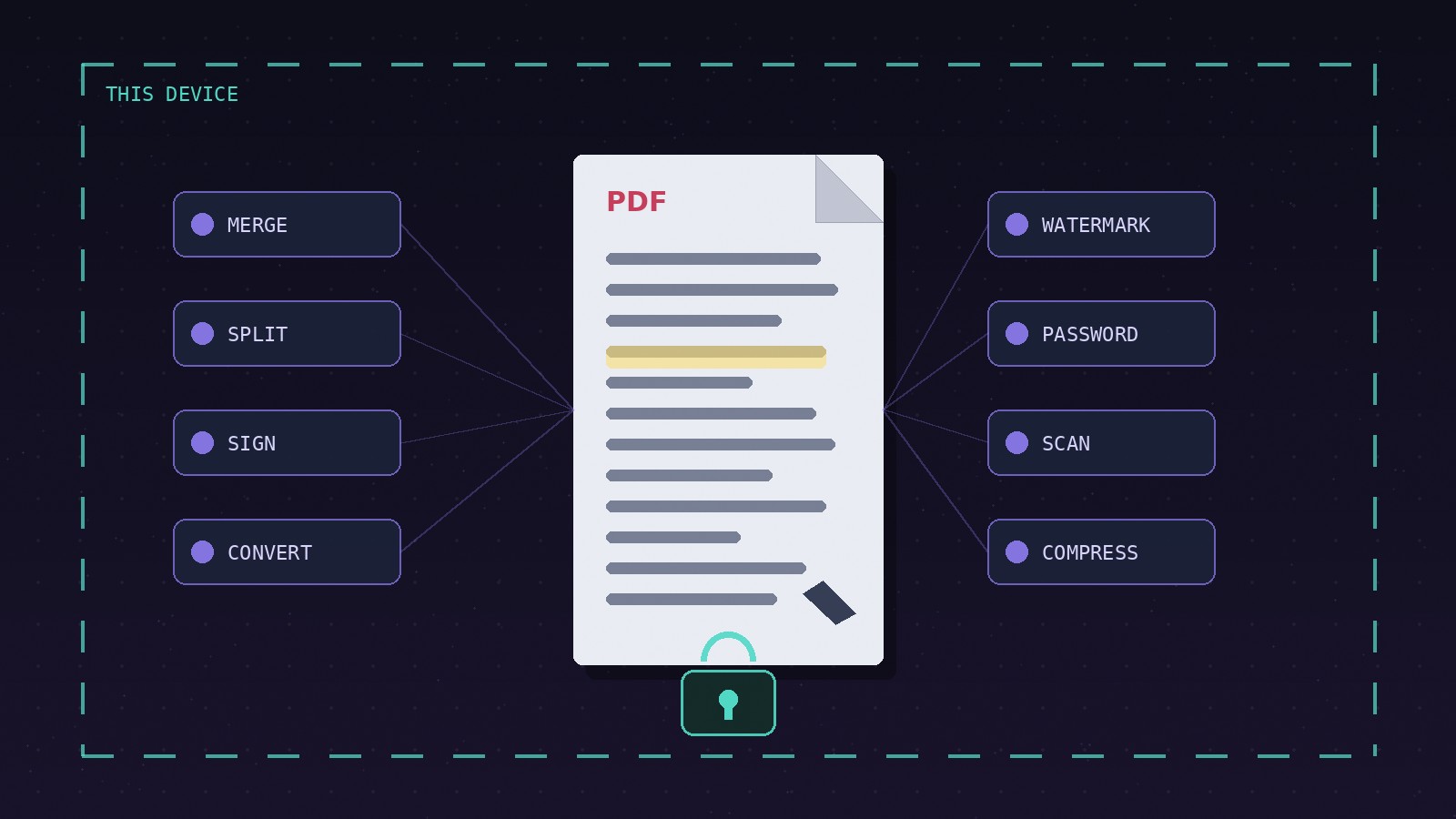
The architecture is the feature. The README documents 100 percent client-side processing, and the repository contains no server component at all — the tree is HTML, CSS, and JavaScript modules, plus a service worker and a web app manifest. A document opened in Pdfeditor is processed by JavaScript running on the reader's own machine.
The PWA layer supports that design. Per the README and the service worker in the repo, the app is installable on desktop and mobile, caches its own files and libraries, and works offline once loaded. There is no account, no sign-up step, and no upload endpoint in the codebase for a file to be sent to.
That design has a real user: anyone handling documents that should not sit on a stranger's server. Tax paperwork, signed agreements, and identity documents are the obvious cases, and for those files the absence of an upload is worth more than any feature list.
What the Repository Actually Contains
The README is short and describes annotating and modifying PDFs. The code tree tells a wider story, and this post reports the modules as they exist in the repository — module presence is documented fact, while depth and polish are matters the caveats below treat honestly.
- Viewer and engine — pdf-viewer.js and pdf-engine.js handle rendering, page navigation, thumbnails, zoom, rotation, text search, and text extraction, built on PDF.js.
- Editor — pdf-editor.js adds text elements, drawing, and highlighting over pages, with undo and redo, and export of the edited PDF.
- Tools — pdf-tools.js contains merge, split, and compress functions, plus text and image extraction.
- Converter — pdf-converter.js contains conversions to Word, Excel, PowerPoint, and image formats, images to PDF, and a web-page-to-PDF route.
- Security and signatures — pdf-security.js covers watermarks and password protection, while pdf-signature.js handles drawn, typed, and image signatures.
- Scanner and files — document-scanner.js captures documents from a camera and saves scans as PDF, and file-manager.js organises opened files locally.
The app manifest in the repo summarises the intent in its own description: edit, convert, sign, and manage PDFs. The stack is vanilla HTML, CSS, and ES6 JavaScript for the project's own code, with established libraries loaded for the heavy lifting — PDF.js for rendering and jsPDF among them.
The tree also shows a project still being shaped in the open. Alongside index.html sit demo.html, simple.html, test.html, and working.html — variant entry pages that read as experiments kept in the repo rather than a single polished front door. The service worker's header still calls the app PDF Reader Pro, and the manifest uses that name too, while the repository and README say Pdfeditor. None of that changes how the editor behaves, but it is the honest texture of the codebase a contributor would meet.
TL;DR
- Pdfeditor is a MIT-licensed PDF editor that runs entirely in the browser, with no server component in the repository
- The documented design rule is privacy: 100 percent client-side processing, and files never leave the device
- The code tree contains viewer, editor, tools, converter, security, signature, scanner, and file-manager modules
- PWA support means installability and offline use after the first load, per the README and service worker
- Run it by cloning the repo and serving the folder locally — no build step and no account
- The README understates the code and overstates one point: read the caveats before quoting its claims
Run It Locally
The README's getting-started route is short, because there is nothing to build and nothing to configure.
Opening index.html directly in a browser is the other documented option. Either way, the editor runs on your machine from the first click, which is the entire point of the project — the two-minute setup is a consequence of the architecture, not a separate trick.
Where It Falls Short
The honest answer: the idea is sound, the repository is young, and two of its own claims need correcting on the record.
- The zero-dependencies claim does not hold. The README claims zero dependencies, but index.html loads PDF.js, jsPDF, html2canvas, an XLSX library, and Font Awesome from a CDN, plus a Google font. The project's own code is framework-free vanilla JavaScript; the PDF work itself sits on those libraries, and the post and the project page should say so.
- First load talks to CDNs. Files are never uploaded, and processing is local — but loading the page fetches libraries and fonts from third-party servers, as most web apps do. Offline use comes after the service worker has cached them, not on the very first visit.
- Module presence is not a quality guarantee. This post was written from the README and the code structure, not from a hands-on test programme. A converter or security module existing in the tree does not prove its output matches a mature commercial tool on a hard document, and readers should try their own files before trusting it with important ones.
- The README underspecifies the product. Merge, split, compression, conversion, and signatures appear in the code modules, not in the README's feature list. Documentation that lags the code is a maintenance smell, and it is recorded here rather than smoothed over.
- No hosted version is linked from the repo. The repository lists no live site and publishes no releases, so the route to use Pdfeditor today is cloning it and serving it yourself. That suits the privacy design, and it also limits how many people will ever try it.
The Verdict
Pdfeditor stands or falls on one decision: the document never leaves the device. For sensitive files, that single property outweighs a longer feature list on a server-based tool, and the repository backs the claim structurally — there is no server in it. The corrections above matter, and they are the kind a project page should carry openly: framework-free own code, library-powered PDF work, local processing after a normal first page load.
The source is on the projects page, alongside the other builds from this workshop. More tools in the same local-first spirit are in the blog archive, including SupoClip, which makes the same trade in the opposite direction — your machine does the work, and no subscription meters it.
---
Not affiliated with Adobe or any commercial PDF vendor. Pdfeditor is the author's own open-source project. Sources: Pdfeditor GitHub repository, including its README, build blueprint, app manifest, service worker, and JavaScript module tree.