Tutorials
Crawl4AI Turns Any Website Into Clean, LLM-Ready Markdown (87K Stars, Self-Hosted)
Crawl4AI crawls sites into clean Markdown for RAG and agents: pip and Docker setup, extraction strategies, and honest limits.
Last updated: November 16, 2026 · 7-minute read
87,035 stars, an Apache-2.0 license, and one clear job — Crawl4AI crawls websites and hands your pipeline clean Markdown instead of raw HTML. It is the open-source crawler underneath the project's hosted cloud, and the README documents how to run the whole thing yourself with Python or Docker.
Every RAG or agent project starts with the same unglamorous problem: the source material lives on websites, rendered by JavaScript, wrapped in navigation and boilerplate. Crawl4AI is the layer built for that gap. This guide covers the pip install, the Docker server, the extraction routes, and the places where the tool honestly hands the problem back to you.
What Crawl4AI Actually Does
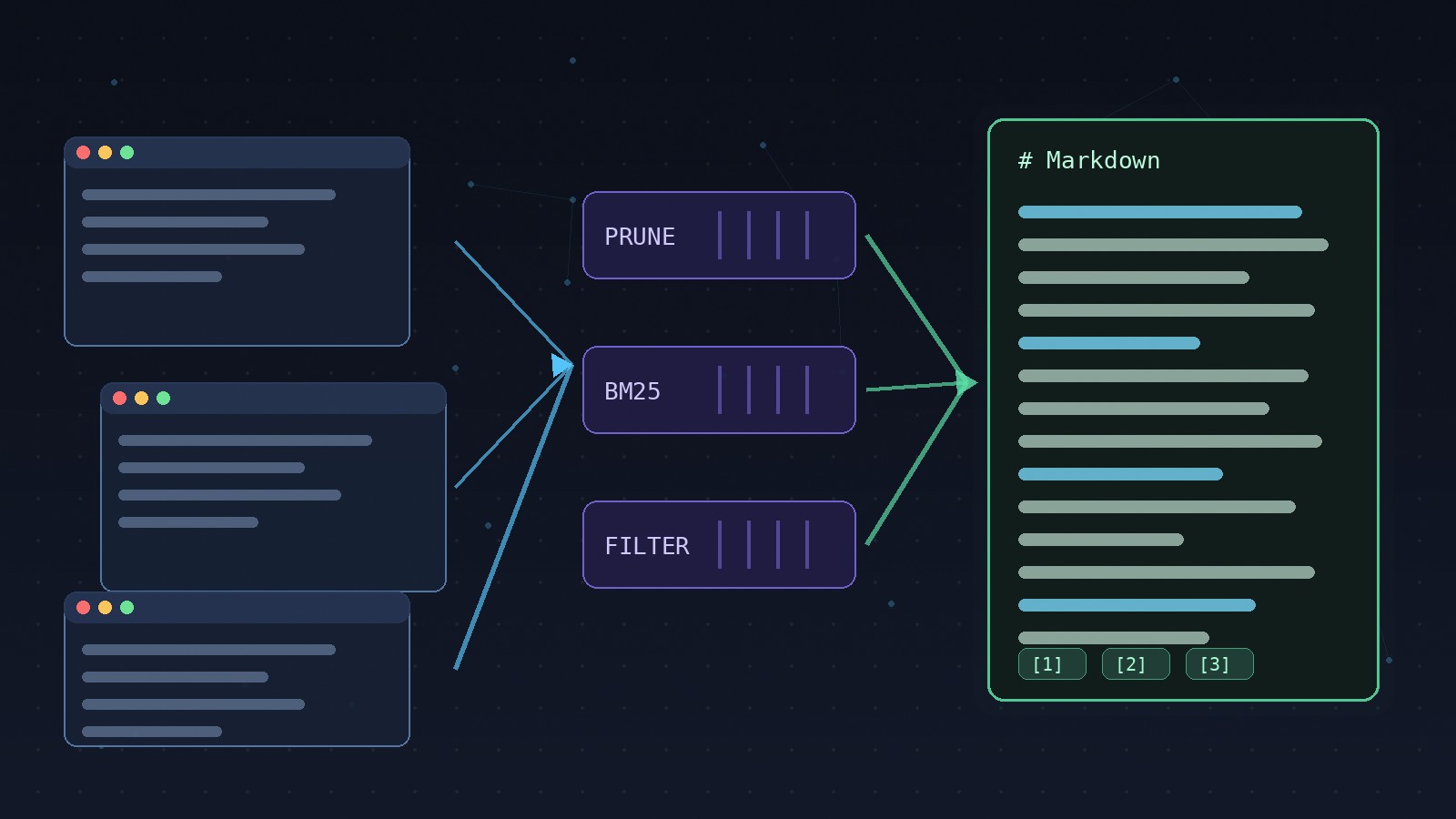
Point Crawl4AI at a URL and the README documents two outputs. The first is Markdown that keeps headings, lists, tables, and code blocks, with page links converted into a numbered citation list. The second is structured extraction — typed data pulled from the page against a schema you define.
Underneath, it drives a real browser rather than fetching static HTML. The README lists Chromium, Firefox, and WebKit support, JavaScript execution, full-page scrolling for lazy-loaded content, screenshots and PDFs of pages, and sessions with persistent profiles, cookies, and proxies. Deep crawling is built in, with breadth-first, depth-first, and best-first strategies.
The current release documented in the README is v0.9.5, dated 14 October 2026. A hosted Crawl4AI Cloud now exists alongside the library, but the repository itself remains the Apache-2.0 crawler, free to run on your own infrastructure.
TL;DR
- Crawl4AI is an Apache-2.0 Python crawler that turns websites into Markdown and structured JSON for LLM pipelines
- 87,035 GitHub stars at the time of writing; latest release documented is v0.9.5 (14 October 2026)
- Install with pip install -U crawl4ai, then run crawl4ai-setup once to install the browser
- A Docker server runs on port 11235, requires an API token you set, and exposes REST and MCP endpoints
- Fit Markdown filters strip menus and boilerplate; CSS, XPath, regex, and LLM strategies extract structured data
- Self-hosting is free apart from your own infrastructure, proxies, and any LLM keys you choose to use
Install It With pip
The library route is three commands. The setup step installs the browser the crawler drives, and a doctor command checks the result.
If the browser setup fails, the README gives the manual fallback: python -m playwright install --with-deps chromium. Pre-release builds are available through pip install crawl4ai --pre, and contributors get a development install with pip install -e ".[all]" from a clone.
The smallest working program is the one the README leads with:
async def main(): async with AsyncWebCrawler() as crawler: result = await crawler.arun(url="https://news.ycombinator.com") print(result.markdown)
asyncio.run(main())
That is the daily workflow for a single page. For many pages, the README documents arunmany with a memory-adaptive dispatcher, plus caching so repeated fetches can be skipped.
Run It as a Docker Server
The Docker route turns the library into a service other tools can call. The README is direct about security here: the server needs a token you generate, and without one it answers only inside its own container.
The README lists REST endpoints including /md, /html, /crawl, /crawl/stream, /screenshot, /pdf, and /executejs, all behind that token. A monitoring dashboard and a playground ship with the server, images are published for AMD64 and ARM64, and an MCP interface lets agent clients connect to your own instance. There is also a crwl command line for one-off jobs, including deep crawls with page limits.
Extract Structured Data, Not Just Markdown
Markdown is the default output, but the extraction layer is where pipelines usually end up. The README documents CSS and XPath schema strategies that extract typed fields with no LLM involved, a regex strategy, and a schema generator that writes a reusable schema from a description. An LLM strategy exists for pages where selectors are impractical, and it works with the provider you configure.
Fit Markdown deserves its own mention. Content filters named in the README — PruningContentFilterLXML, BM25ContentFilter, and LLMContentFilter — strip menus, footers, and boilerplate before the Markdown reaches your model. Smaller, cleaner input means fewer tokens spent on page furniture your pipeline never needed.
Crawl Whole Sites, Not Just Pages
Single pages are the demo. The workload that matters to a pipeline is a whole documentation set, a catalogue, or an archive, and the README documents three deep-crawl strategies for it: breadth-first, depth-first, and best-first. Long crawls can carry a resumestate, so a crashed job resumes instead of restarting from the first URL.
Two documented features keep big crawls bounded. AdaptiveCrawler stops when it has learned enough to answer the query it was given, rather than crawling to exhaustion. AsyncUrlSeeder discovers URLs from sitemaps and Common Crawl before the browser work starts, and a prefetch mode exists for fast URL discovery ahead of a full crawl.
The command line covers the same ground without code:
Sessions complete the picture for sites behind logins or multi-step flows. The README documents persistent browser profiles that keep saved logins, cookies, and settings between runs, plus hooks at every step of a crawl for custom handling. A crawl that needs to sign in, paginate, and then extract is a configuration exercise here, not a second project.
Where It Beats DIY Scraping
This section is inference from the documented feature list, not a benchmark the project publishes. A hand-rolled headless-browser script gives you a browser and nothing else: you write the scrolling, the session handling, the Markdown conversion, and the boilerplate stripping yourself. Crawl4AI documents all four as built-in behaviour.
The gap widens on awkward sites. Persistent profiles with saved logins, proxy rotation, a stealth mode, and a remote-browser option over the Chrome DevTools Protocol are documented features, and each one is a week of side work in a DIY script. The honest boundary is that none of this guarantees a given site will cooperate — it means the standard failure modes already have documented answers.
Where It Falls Short
The honest answer: Crawl4AI removes the plumbing, not the judgement.
- Sites can still refuse you. Stealth mode and proxies are documented, but bot detection is an arms race the README does not claim to have won. Respect each site's terms and robots rules; the tool does not grant permission to crawl anything.
- Self-hosting means operating a browser fleet. Browsers are heavy. The Docker command asks for a 1 GB shared-memory size for a reason, and long deep crawls need the memory and disk planning any browser workload needs.
- LLM extraction costs what your provider charges. The schema and CSS routes avoid that bill, but the LLM strategy runs on your key. The README's own examples pair it with hosted models, so budget per page before crawling at scale.
- The cloud is a separate, paid product. The README's comparison table lists hosted plans from $10 alongside the free library. Nothing about the open-source crawler requires the cloud, but readers should not confuse the two offers.
- Attribution is requested in the README. The license section asks users to include a badge or a text attribution line. Read the LICENSE file and that section before shipping a product built on it.
The Verdict
Crawl4AI is the correct default for one job: getting website content into an LLM pipeline as clean Markdown or typed JSON, on infrastructure you control. It is Apache-2.0, actively released, and unusually complete in its own documentation — Markdown generation, extraction, browser control, deep crawling, and a token-secured server in one repository.